
CUSTOMER PORTAL
PURPOSE
Our updated Customer Portal offers two apps to assist you in managing the following:
- Chain of Custody Orders
- Supply Orders
- Billing
- Lab Reports (posted as Sales Orders)
ACCESS INFORMATION
- Only one login is required to access all portal apps at once.
- Each of your assigned staff members will receive their own login.
- A minimum of one login will be assigned per company.
- A maximum of three logins will be assigned per company/location.
- Currently, each location must have a unique email address to login. We are working on a solution for parent companies who need access to multiple locations.
- If you need additional logins, please email finance@trelfalabs.com.
REQUEST ACCESS & SIGN IN
- Email finance@trelfalabs.com to request access for any staff members or third party your company authorizes. Be specific as to which apps they should have access to: 1. Chain of Custody & Supply Orders, 1. Billing & Lab Reports, or 3. both. Please keep in mind that the Billing area includes sensitive information including payment methods you have on file.
- Each authorized user will receive an invitation via email. The link is good for 7 days.
- Click the link in the email to sign up.
- Create a password and complete the verification process.
- Proceed to the sign in link: https://portal.trelfalabs.com/client . We suggest you bookmark it for future use. Please note that the sign up link in the email invitation is not the same as the sign in link.
- Upon login, the user will be presented with a dashboard containing 1 or 2 apps.
- The Chain of Custody & Supply Orders app has on screen instructions.
- The Billing & Lab Reports app is quite intuitive. Please note the Lab Reports are found under Sales Orders.
DASHBOARD APP #1: CHAIN OF CUSTODY & SUPPLY ORDERS
- One form. Two options. Use it for both Chain of Custody and Supply/Environmental Swabbing Orders.
- Always up to date. No need to download updated Excel versions as they are released.
- Automatically assigns your account number and name based upon sign-in credentials, eliminating data entry errors.
- Allows more data characters for Sample, Description, and Lot Code text.
- Allows for composites.
- Allows editing of pending orders, including scheduling dates.
- View order history and status.
- Sort and create downloadable reports.
- Automatically emails your order confirmation and data in Excel format upon submission.
- Traceability: We can track the entire process: Customer Portals Requests > Sales Order > Work Order > Service Appointment > Lab Report > Invoice.
- Transparency: Sales Orders/Lab Reports share the same number and can easily be cross-referenced to your Invoices. Both will show each sample and service requested as individual line items.
- No paper copies needed.
Benefits : Time Management
- Allows duplication of line items within an order
- Allows duplication of entire past orders to be edited and saved as new orders, saving you data entry time.
- Automatically schedules and updates pending pick-ups, drop-offs, and deliveries on Trelfa Labs's shared Logistics dispatch calendar.
Benefits : Streamlined Workflow
Though simple and intuitive, there are detailed instructions provided at the top of the Chain of Custody form page.
Important Form Fields
DATE NEEDED BY: When you need your samples to arrive at the lab and/or supplies to arrive at your facility. (Not to be confused by the date you need lab results.)
DELIVERY TYPE: How you need your samples to arrive at the lab and/or supplies to arrive at your facility.
Upon submission of your Chain of Custody or Supply order:
- You receive an email confirmation with your order attached in an Excel file for your records.
- It enters the queue in our LIMS (Laboratory Information Management) system as a Sales Order for our Lab Technicians.
- It enters the queue in our Logistics scheduler as a Work Order where it is converted to a Service Appointment as a pick-up/drop-off/delivery so we know when and how your samples are arriving.
- Your Service Appointment gets added to our driver's route phone app (if necessary).
- Your Work Order is then used by our driver to verify the appointment and samples/supplies ordered upon arrival with your staff.
- Upon completion of testing our Lab Technicians convert your Sales Order to a Lab Report.
- Finally, our Laboratory Director, Jon Trelfa, signs off on your test results.
- Your test results are added to the Customer Portal Billing & Lab Reports app.
- Your test results are emailed to your company representatives we have on file.
ALTERATIONS: THE LAB DOES NOT ACCEPT REQUESTS BY PHONE, VOICE MAIL, OR TEXT. ALL TEST ANALYSIS AND/OR PROJECT ALTERATIONS MUST BE SUBMITTED IN WRITING. SUBMIT TEST ANALYSIS ALTERATIONS to lab@trelfalabs.com. SUBMIT PROJECT ALTERATIONS via projects@trelfalabs.com OR UPLOAD YOUR DOCUMENTATION TO THE CUSTOMER PORTAL. OUR ENTIRE STAFF HAS ACCESS TO THESE SHARED MAILBOXES AND THE PORTAL, SO THERE IS NO NEED TO COPY ADDITIONAL EMPLOYEES. DOING SO, WILL CAUSE IN-BOX CLUTTER, CONFUSION, AND DELAY YOUR REQUEST.
INCOMPLETE FORMS: We are happy to help you fill out your Chain of Custody forms, if necessary. However, if no form is provided, or form lacks clear instructions, it will be sent to the back of the queue. If our technicians must spend additional time on your samples due to missing forms or unclear instructions, we will up-charge to your order. Charges vary based on time spent, not to exceed $25 per form.
DASHBOARD APP #2: BILLING & LAB REPORTS
DASHBOARD APP #2: BILLING & LAB REPORTS
- Review balance summary or available credit
- Make/review payments
- Review account details
- Download/Forward/Print Quotes, Lab Results (Sales Orders), Invoices, and Credit Notes
- Filter/Download/Print Statements
- Review Consulting Projects
- Review Shared Documents
- Email our Finance Dept. directly
- Rate us, and submit a review
- Reset your password
CUSTOMER PORTAL PHONE APP
CUSTOMER PORTAL PHONE APP

- Access: Google Play Store.
- Search: Zoho Creator app.
- Install.
- Open.
- Enter Trelfa Labs' Customer Portal URL: https://portal.trelfalabs.com/client
- 1st Time Users: Create password.
- Returning Users: Enter user name and password
- Returning users will not be required to enter the portal URL.
CUSTOMER PORTAL LOGIN TROUBLESHOOTING
CUSTOMER PORTAL LOGIN TROUBLESHOOTING
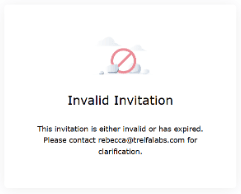
This is a result of clicking on the blue button in the email invitation, which is only used for the sign-up process, not sign-in.
To sign in, use this link instead: https://portal.trelfalabs.com/client
We recommend bookmarking it in your browser.
CUSTOMER PORTAL ALTERNATIVES SET TO EXPIRE
CUSTOMER PORTAL ALTERNATIVES SET TO EXPIRE
The following systems will be phased out by JULY 1 in favor of the upgraded Customer Portal in order to:
- streamline and improve efficiency
- prevent data entry errors
- meet our ISO requirement and prevent corrective actions
CHAIN OF CUSTODY FORM - PAPER VERSION
CHAIN OF CUSTODY FORM - EXCEL VERSION
CHAIN OF CUSTODY / SALES ORDER - WEB SITE VERSION
AS NEEDED SAMPLING / SUPPLY ORDER - WEB SITE VERSION
The new system is very intuitive, however, on-page instructions are available. We are happy to provide training for your team and assist you through this transition.
We appreciate your business and welcome your feedback. Please let us know of additional features or upgrades that would make our working relationship more productive.